
This post was originally published on this site.
Unlike traditional search engine optimization, AI search lacks native performance reporting to help businesses develop organic visibility strategies.
Google’s Search Console combines AI Overviews and organic listings in its “Performance” section, leaving optimizers to guess which channel drove visibility and traffic. ChatGPT shares metrics only with publishers that have licensed their content to OpenAI.
Bing is the first platform to offer some transparency. A few weeks after publishing its “guide to AEO and GEO,” Bing launched an “AI Performance Report” in Webmaster Tools.
AI Performance
The new report tracks citations in Microsoft Copilot, AI-generated summaries in Bing, and select AI partner integrations. But there’s no option to filter by a single surface, and no way to identify the integration partners or their purpose.
The report shows users’ “Total Citations” for the chosen period and “Avg. Cited Pages.” It then lists:
- “Grounding Queries,” which are “the key phrases the AI used when retrieving content that was cited in its answer.” In other words, the queries are the “fan-out” terms that Bing’s AI agents use to search for and find answers, though we don’t know which search engines or platforms they access.
- “Pages,” the URLs mentioned in AI answers.
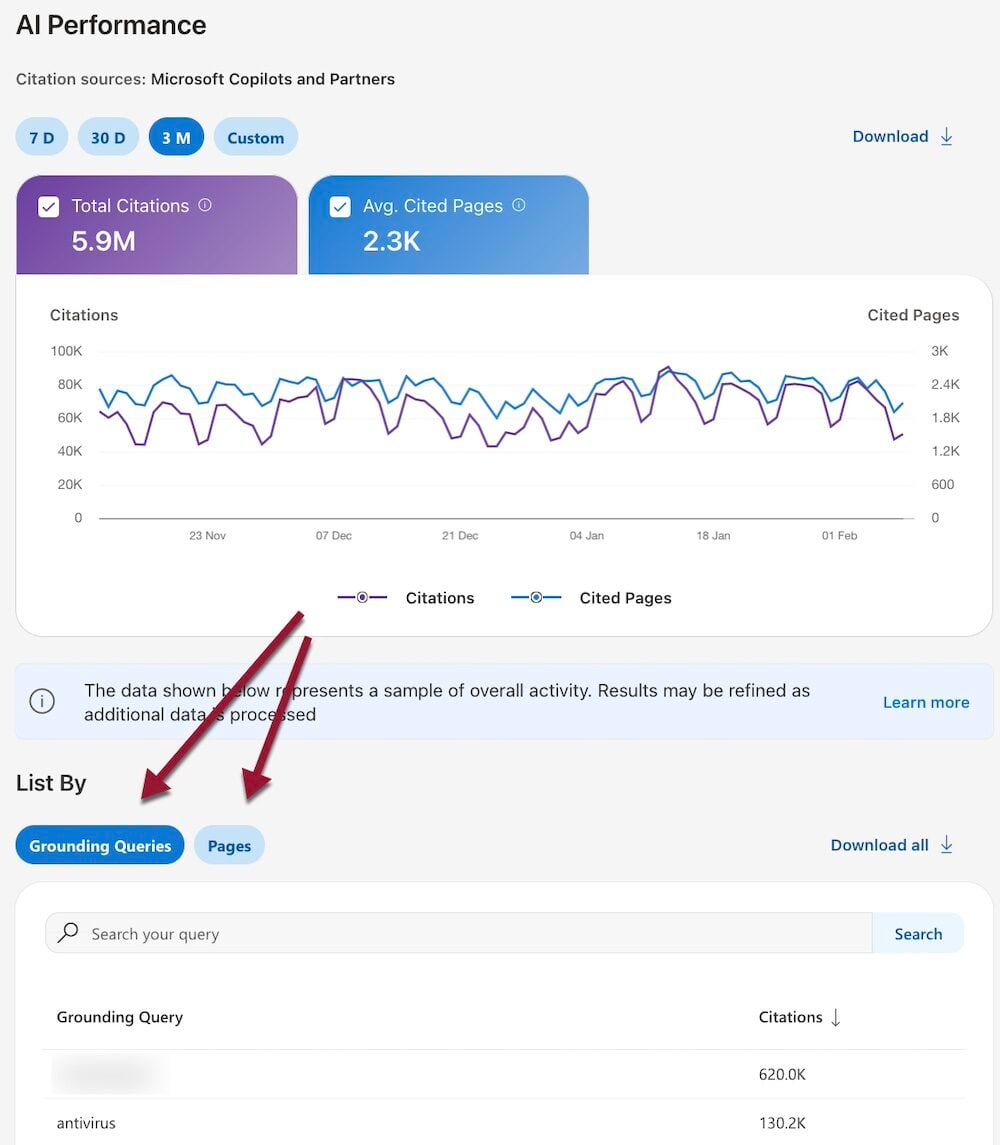
The new Webmaster Tools section lists citations by “Grounding Queries” and “Pages.” Click image to enlarge.
Each tab includes additional visibility data:
- For every grounding query, Webmaster Tools reports on the average number of unique pages cited per day in AI answers.
- For each cited URL, the report includes its frequency — how often it appears in an answer — not its importance, ranking, or role within a response.
The report provides no traffic or click-through data and no clarity into which Grounding Queries triggered which citations.
Using the Data
The report is a good first step, but it offers little actionable data. Perhaps it will force other players to do more.
According to Bing, the new report:
… shows how your site’s content is used in AI‑generated answers across Microsoft Copilot and partner experiences by highlighting which pages are cited, how visibility trends change over time, and the grounding queries associated with your content.
I’m making the report more useful by:
- Researching organic keywords on Bing and Google that drive traffic to the cited URLs,
- Prompting ChatGPT or Gemini to turn the keywords into prompts,
- Evaluating whether the cited pages address those prompts or need better structure or clarity.
Also, I identify common modifiers in the grounding queries to understand how AI agents find the pages.
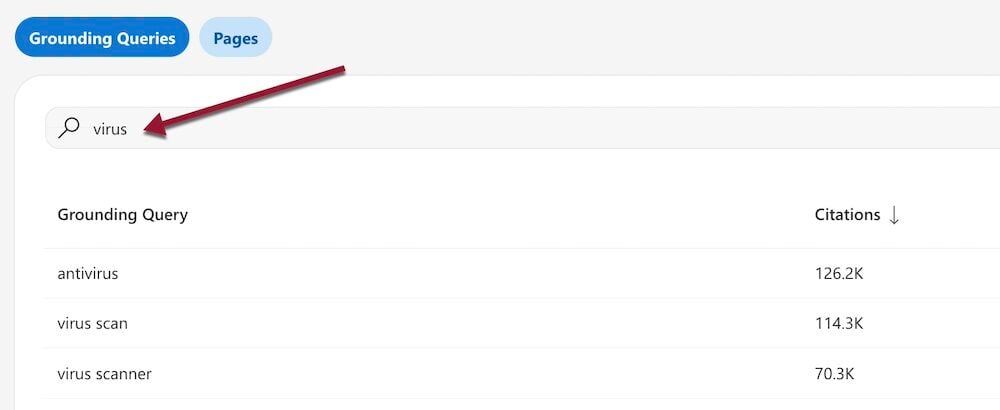
Identify common modifiers, such as “virus” in this example, to understand how AI agents find your pages.
Webmaster Tools
Setting up Bing Webmaster Tools takes only a couple of minutes with Search Console enabled.
Log in to Webmaster Tools with your Microsoft account, click “Add site,” and choose the “Import your sites from GSC” option. Allow roughly 24 hours for Bing to collect and report the data.